Math Kids: Math Games For Kids
RV AppStudiosEducational
4.51.10K Reviews
- Version
- Varies With Device
- Installs
- 50.00M
- Age Rating
- Everyone
Screenshots
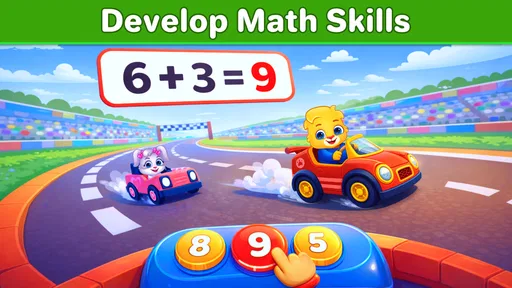
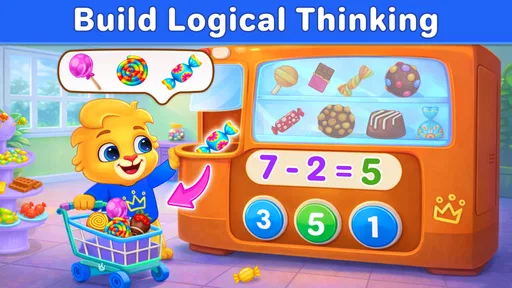
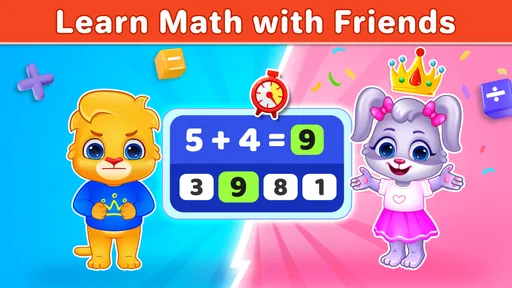
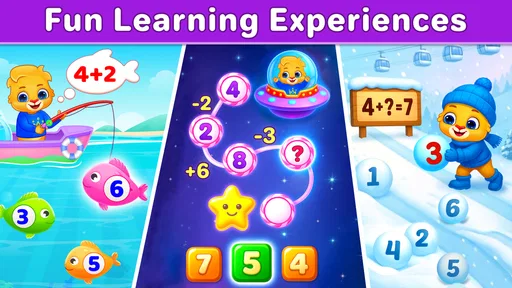
Our Review of Math Kids: Math Games For Kids
 Analysis by Appyee
When I first opened Math Kids: Math Games For Kids, I immediately understood its main appeal: it treats early mathematics as something a child can explore through short, friendly activities rather than as a worksheet on a screen. The game is aimed at preschool learners and focuses on counting, addition, subtraction, and basic number recognition. I found that narrow focus useful because a young child is not pushed into a large collection of unrelated subjects.
This is a free educational game from RV AppStudios, available for Everyone and suitable for devices running Android 6.0 or later. It has been around since August 22, 2017, and its broad reach is reflected in more than 50 million installs. A 4.5 average from roughly 70 thousand ratings suggests that many families find the approach approachable, although popularity alone does not tell me whether it matches every child’s learning style.
My first impression: a gentle place to begin with numbers
The first thing I noticed was how quickly the game gets to its purpose. There is no need to understand a complicated story, manage a character, or learn a set of game rules before reaching the mathematics. That directness matters with preschoolers, especially when the child is using a phone or tablet for only a few minutes at a time.
The presentation feels intentionally child-friendly. Large visual elements, simple tasks, and a playful tone make the activities less intimidating than a traditional arithmetic page. I would be comfortable introducing it to a child who is still learning how numbers relate to quantities, because the experience does not begin by assuming strong reading ability or advanced calculation skills.
That simplicity is also the first important trade-off. Older children who already understand basic addition and subtraction may find the early activities too easy. The game works best as an introduction or a confidence-building tool, not as a complete mathematics curriculum. I would use it alongside real objects, spoken questions, drawing, and everyday counting rather than treating it as the only learning resource.
In a realistic home situation, I can see a parent opening it while preparing breakfast or waiting for an appointment. A child can spend a short period identifying numbers or solving a small problem without needing a long explanation from an adult. I would still stay nearby at first, not to give every answer, but to notice whether the child understands the idea or is simply tapping until something works.
What the visual language communicates
The art direction supports the game’s educational goal by keeping the screen readable. For a preschooler, visual clarity is not a minor detail: too many decorative elements can compete with the number task. Here, the playful look helps make mathematics feel welcoming while leaving enough space for the actual question and answer choices to remain the focus.
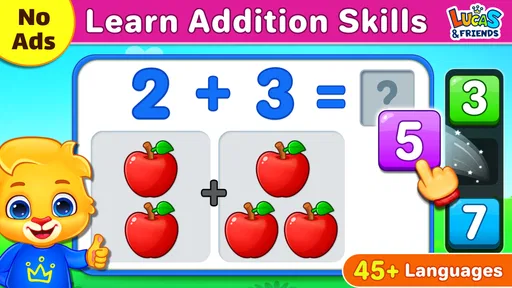
I especially value this kind of design when a child is learning the difference between recognizing a numeral and understanding a quantity. A picture can help bridge that gap, while a clean number prompt gives the child a chance to connect the visual idea with written mathematics. Parents can make that connection stronger by asking questions aloud, such as how many objects the child sees before allowing a selection.
One useful habit is to pause after a correct response and ask the child to explain it in their own words. If the activity shows a small group of objects, I might ask the child to count them again or separate them into two groups. This turns a quick tap into a short reasoning exercise. It is a simple way to get more educational value from the same activity without demanding extra tools.
The visual simplicity can become a limitation for children who need more varied stimulation. Some learners stay engaged through stories, character progression, or changing challenges, while this game is more comfortable with repetition and familiar patterns. If a child loses interest quickly, that does not necessarily mean the child dislikes mathematics; a more narrative learning game or hands-on activity may be a better match.
How the sound and rhythm support play
The sound design contributes to the light mood rather than trying to turn each answer into a dramatic event. That restraint fits preschool practice. A short activity should feel encouraging, not tense, and a child should be able to make a mistake without feeling that the whole session has failed.
The pacing is one of the game’s strongest qualities for brief practice. It is easy to imagine using it in a small daily routine: a few minutes after school, a quick activity before dinner, or a calm diversion during travel. I would avoid presenting it as a long sit-down lesson. Young children often learn more effectively when the session ends while they are still comfortable, rather than continuing until the game becomes a chore.
Parents should pay attention to the child’s rhythm rather than focusing only on the number of questions completed. If the child begins rushing, guessing, or repeating the same mistake, I would stop and discuss the idea away from the screen. The app can present practice, but it cannot replace the adult conversation that reveals whether the child understands why an answer is correct.
Another practical tip is to alternate independent play with shared play. During one session, let the child try alone and observe their choices. During another, sit beside them and ask the child to predict the answer before touching the screen. This changes the pace without changing the app itself, and it helps distinguish genuine learning from memorizing where an answer appears.
Where the mechanics fit early learning
The core subjects are well chosen for preschool use. Counting establishes the relationship between numbers and quantities, while addition and subtraction introduce the idea that groups can become larger or smaller. These are foundational concepts, and keeping them together gives the game a coherent learning path instead of scattering attention across unrelated mini-games.
I would begin with counting even if a child is eager to try arithmetic. A child may be able to recite number words but still struggle to match each word to one object. Counting activities provide a chance to watch for that difference. Once the child can consistently connect quantities with numerals, simple addition and subtraction become more meaningful rather than just symbol matching.
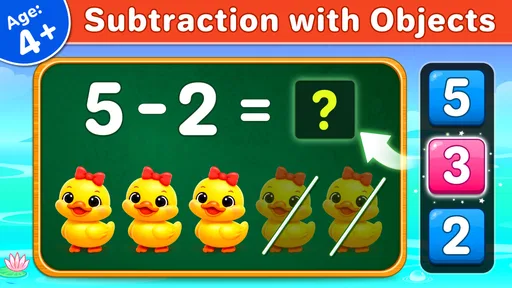
A useful home workflow is to connect each screen task to physical objects. If the game presents a small addition problem, place a few blocks or snacks on the table and let the child combine them. For subtraction, remove objects visibly and ask what remains. The screen then becomes a prompt for concrete learning, which is particularly valuable for children who do not yet think comfortably in abstract symbols.
The game is also a reasonable choice for parents who want low-pressure repetition. Early mathematics often benefits from revisiting the same concept in small doses. A child who needs several attempts to become comfortable with number relationships can practice without the social pressure of a classroom. The free price makes it easier to try as part of a broader routine rather than committing to a paid course immediately.
At the same time, I would not expect it to diagnose learning difficulties, teach advanced reasoning, or provide the depth of a structured school program. Children who need detailed explanations, adaptive instruction, or a carefully sequenced curriculum may do better with a teacher-guided resource. A conventional workbook can also be preferable when a parent wants to see written work, while physical manipulatives are better for children who learn through touch.
Small decisions that improve the learning value
My first recommendation is to use the game as a conversation starter, not an answer machine. Before the child taps, ask what they notice. Afterward, ask how they know. This takes only a few seconds, but it reveals whether the child is counting carefully, recognizing a familiar pattern, or guessing.
My second recommendation is to separate accuracy from speed. Preschool mathematics is not a race, and quick tapping can hide confusion. Give the child time to count and encourage them to correct themselves. If the activity feels too easy, move from recognition to explanation by asking the child to create a similar problem with toys or household objects.
My third recommendation is to watch for transfer. After a session, ask a question that uses the same idea in daily life: how many apples are on the table, how many remain after one is moved, or how many steps lead to the door. If the child can use the concept outside the screen, the practice is doing more than producing correct taps.
These habits also answer an important question parents often have: can a child use it independently? In my view, a child may manage the basic interaction alone, but independent screen use is not the same as independent learning. Occasional supervision is worthwhile, particularly at the beginning, because an adult can adjust the difficulty informally and stop the session when attention drops.
Who will enjoy it, and who should look elsewhere
I would recommend this game to families seeking a straightforward first step into digital math practice. It suits preschoolers who enjoy colorful, short activities and children who need repeated exposure to counting, addition, and subtraction. It can also work for a younger learner who is not ready for a text-heavy educational app, provided an adult helps connect the images and numbers.
I would be more cautious for children who need a strong story, character development, or a sense of long-term progression. Those features can motivate some learners, and a simple practice game may not hold their attention for long. I would also look elsewhere for children already comfortable with the listed concepts, because they may need more challenging problems or broader topics.
Compared with a workbook, the game is more inviting and less messy, but it gives less visible evidence of how a child reached an answer. Compared with hands-on counting, it is convenient and repeatable, but it cannot provide the same physical understanding of grouping and quantity. Compared with a full educational platform, it is easier to start and less overwhelming, but its focused scope may feel limited over time.
That comparison is why I see it as a companion rather than a replacement. Use it for a short digital practice session, then reinforce the same skill through play, conversation, drawing, or ordinary household routines. The best results are likely to come from moving between these formats instead of expecting one app to do all the teaching.
Practical fit for families and devices
The game is free, which removes one obvious barrier for families who want to test it before building a learning routine around it. Its Everyone content rating makes its intended audience clear, and the Android requirement of 6.0 or later means it can work on many older compatible devices. I would still check the device experience before handing it to a child for regular use, since screen size and responsiveness affect how comfortably a preschooler can interact.
The developer, RV AppStudios, has positioned this title as a focused children’s learning game rather than a general-purpose school platform. That focus is helpful when a parent wants a quick activity with a clear purpose. It is less helpful when the family wants one app to cover reading, science, creative work, and several levels of mathematics in a single place.
The game’s release in 2017 also gives it the feel of an established educational title rather than a brand-new experiment. Its audience has grown to over 50 million installs, and it carries a 4.5 average from around 70 thousand ratings. I treat those figures as signs of broad use, not as proof that every child will respond to the same pacing or visual approach.
One final practical point is to set expectations before the first session. Tell the child that the goal is to think, not simply to finish. Keep the first visit short, observe which activities feel natural, and return later rather than forcing completion. This approach protects the friendly mood that makes the game useful in the first place.
My atmosphere verdict
What stays with me is the coherence between the game’s mood and its mechanics. The friendly art, light sound, and unhurried rhythm all support the same idea: early mathematics can be approachable. Nothing about the experience needs to feel like a test, and that is valuable for a child who is just beginning to build confidence with numbers.
Its limitations are equally clear. The focused subject range will not satisfy children looking for advanced challenges, and the simple presentation may not hold every learner’s attention. It also works best when an adult adds questions and real-world examples, because a correct screen response does not automatically prove deep understanding.
For me, that balance makes it an easy recommendation for preschool math practice, especially when the family uses it in short sessions and follows up away from the screen. The strongest use of Math Kids is not replacing play or teaching; it is giving everyday number practice a calm, accessible starting point. If that is what you need, this free game is worth trying. If you want a complete curriculum, rich progression, or challenging mathematics, I would choose a more comprehensive option and keep this one as a gentle supplement.
Privacy and Permissions
See what permissions an app requests and how it handles your data.
- Other
- view network connections, full network access, run at startup, control vibration, prevent device from sleeping, Google Play license check
Verdict
Strengths of Math Kids: Math Games For Kids
- Bright visuals and playful sounds keep younger learners engaged.
- Short activities make it easy to fit practice into a daily routine.
- Covers counting, addition, subtraction, and basic number recognition.
- Simple controls are suitable for children with limited reading skills.
- Progressive difficulty can support gradual development of early math confidence.
Limitations of Math Kids: Math Games For Kids
- Some activities may feel repetitive after extended play sessions.
- Older children may outgrow the content relatively quickly.
- Sound effects can become distracting without device volume adjustments.
- Limited customization may not match every child’s learning pace.
- Parents may need to supervise progress rather than rely on gameplay alone.
Other Releases by RV AppStudios
View All
Coloring Games: Color & Paint
Educational4.4

Drawing Games: Draw & Color
Educational4.3

Baby Games: Piano & Baby Phone
Educational4.4

Puzzle Kids: Jigsaw Puzzles
Educational4.4
Similar Picks in This Category
View All
Little Panda Policeman
BabyBus4.0

Monster Trucks Game for Kids 2
Raz Games4.1

Little Panda's Chinese Recipes
BabyBus4.4

Little Panda's Restaurant
BabyBus4.4

Little Panda's Ice Cream Games
BabyBus4.3

Baby Panda Care
BabyBus3.8
Frequently Asked Questions
What is Math Kids: Math Games For Kids?
Math Kids: Math Games For Kids is an educational app designed to help young children practice essential early mathematics skills through simple, interactive activities. It generally focuses on counting, addition, subtraction, and number recognition, using colorful visuals and child-friendly challenges. The game-like format makes short practice sessions feel less like traditional homework and can be useful for children who are beginning to build confidence with numbers.
What age group is Math Kids: Math Games For Kids suitable for?
The app is mainly intended for preschool and early elementary school children who are learning basic numbers and arithmetic. It may be especially appropriate for children practicing counting, recognizing numerals, and solving simple addition or subtraction problems. Since children develop at different speeds, parents should review the available activities and difficulty level to decide whether the content matches their child’s current abilities and learning goals.
What math skills can children practice in the app?
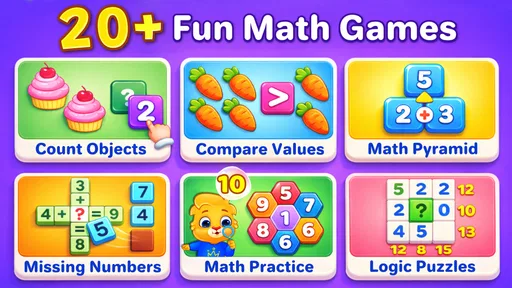
Math Kids: Math Games For Kids typically provides practice with foundational concepts such as counting objects, identifying numbers, comparing quantities, addition, subtraction, and sometimes basic multiplication or related number exercises. The activities are designed to reinforce understanding through repetition and visual interaction. It should be viewed as a supplementary learning tool rather than a replacement for classroom teaching, parental guidance, or a structured mathematics curriculum.
Is Math Kids: Math Games For Kids free to download and safe for children?
The app can generally be downloaded without an upfront charge, although the exact availability of advertisements, optional purchases, or premium features may depend on the version and platform. Parents should check the current Google Play or App Store listing before installing. It is also wise to review privacy information, disable or supervise in-app purchases, and use device parental controls so children can explore the app safely.
Does Math Kids: Math Games For Kids require an internet connection?
Many basic learning activities in children’s math apps can be used offline after installation, which is convenient for travel or areas with limited connectivity. However, internet access may still be needed for downloading the app, receiving updates, displaying advertisements, restoring purchases, or accessing certain features. Because requirements can change between releases, parents should test the app in offline mode and consult the store description for the most accurate information.
Play our best games!


